
Plant Identifier: Plantiary
BlackeProductivity
4.5270.00 Reviews
- Version
- 5.2.56
- Installs
- 100.00K
- Age Rating
- Everyone
Screenshots
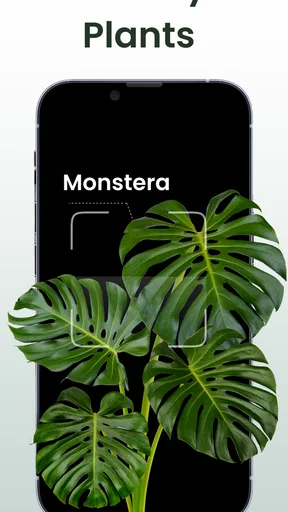
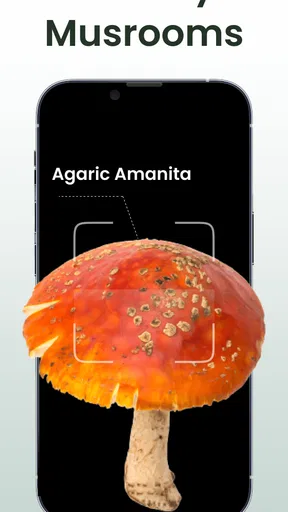
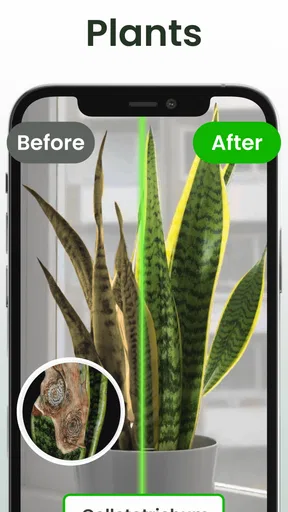
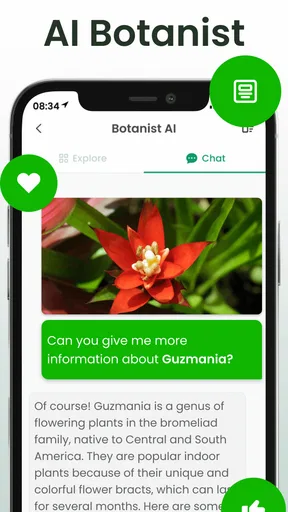
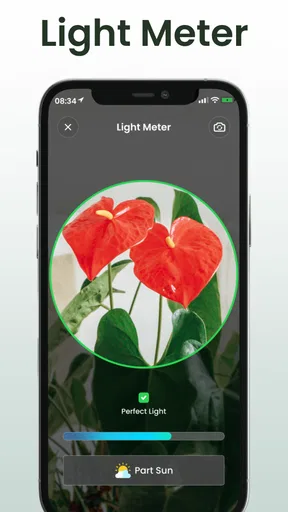
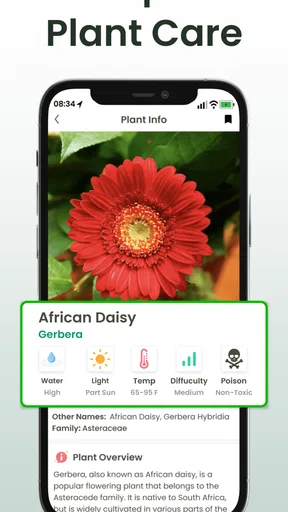
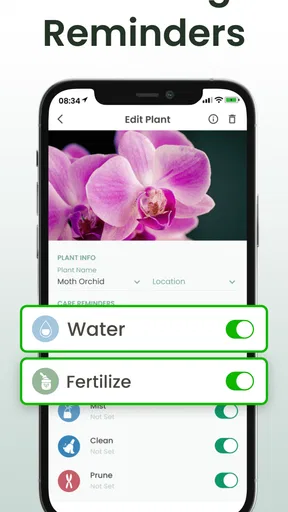
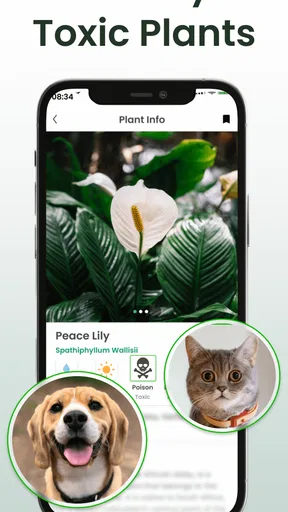
Our Review of Plant Identifier: Plantiary
 Analysis by Appyee
I like plant apps most when they solve a small problem at exactly the moment I have it: I am standing beside a houseplant, a weed, or an unfamiliar mushroom and want a useful starting point without opening several websites. Plant Identifier: Plantiary is built around that moment. It is a free productivity app from Blacke that combines visual identification with care reminders, so the experience is not limited to naming something once and forgetting about it.
That focus makes it more practical than a simple reference gallery. I can use the camera-based identification idea to investigate an unknown plant, insect, or mushroom, then use the result as a prompt for ongoing care. The app has an average rating of 4.5 from around five thousand ratings, and it has passed one hundred thousand installs, which suggests that it has found a real audience among people who want quick nature and houseplant assistance rather than a specialist botanical database.
Identification is useful because it leads into care
The central capability is straightforward: Plantiary is designed to identify plants, insects, and mushrooms from an image. In everyday use, that matters because recognition is often the first obstacle. If I do not know what a plant is, advice about watering, light, or general maintenance is difficult to apply. A name gives me a way to organize the problem and look at the subject more carefully.
The important distinction is that the app is not only positioned as a visual naming tool. Its care-reminder side changes how I would use it after the initial scan. Instead of treating identification as a one-time curiosity, I can connect it with a routine for plants that need attention. The real value is the bridge between “What is this?” and “What should I remember to do next?”
That bridge is especially helpful for people who own several plants with different needs. I often remember that a plant needs care, but not which one I handled last or when I should check it again. A reminder system does not replace observation, yet it can reduce the mental load of keeping every pot in mind. For a beginner, that may be more useful than a long encyclopedia entry filled with terminology.
I also appreciate that the identification scope goes beyond ordinary indoor plants. Insects can be relevant when leaves start showing damage, while mushrooms and wild plants raise a different kind of curiosity. The broader scope makes the app more interesting for walks, gardens, and outdoor discoveries. At the same time, I would treat any recognition result as a starting point, not as permission to eat a mushroom, handle an insect, or make a safety decision without independent confirmation.
What I would do before trusting a result
A clear photo is the sensible first step. I would avoid taking a picture through a window, in deep shadow, or with several different plants filling the frame. A single subject with visible leaves, flowers, bark, or other identifying details gives the app a better chance of producing a useful suggestion. This is not a criticism unique to Plantiary; image recognition is naturally affected by what the camera can actually see.
I would also photograph more than one part of an unfamiliar subject when the first result feels uncertain. A leaf alone may not tell the whole story, while a second view showing the stem, flower, or overall shape can help me compare the result with reality. For mushrooms and insects, I would be particularly cautious. A convenient identification screen is not a substitute for expert confirmation where health or safety is involved.
One non-obvious benefit of this approach is that the app can encourage better observation. Rather than casually searching for “plant with big leaves,” I am prompted to notice details that distinguish one specimen from another. That makes the process more educational, even when the result is only a likely match. I find that more useful than blindly accepting the first label and moving on.
How the workflow fits into ordinary routines
The most natural workflow begins when I encounter something I cannot name. I take or select an image, review the identification, and then decide whether the result is worth saving as part of a care routine. For a houseplant, that can turn a vague intention into a repeatable habit. For an outdoor discovery, the identification may simply remain a reference point for later reading.
In practice, I would separate three kinds of use. First is quick curiosity: identifying a plant at a friend’s home or during a walk. Second is household organization: keeping track of plants that need regular attention. Third is troubleshooting: using an insect identification result as one clue when a plant looks damaged. The app is strongest in the second and third situations because the answer becomes useful only when it changes what I do next.
A realistic example is a small collection of plants spread between a bright living room and a darker hallway. I might recognize the plants generally but still forget which one was watered recently. After identifying each plant, I can use the care-reminder concept to build a simple checking rhythm. When a reminder appears, I would inspect the soil and the plant rather than watering automatically. That small distinction matters because reminders should prompt care, not force a fixed action regardless of conditions.
This is also where I see a practical trade-off. A reminder can help me remember to inspect a plant, but it cannot see whether the soil is still damp, whether the leaves are drooping from too much water, or whether the room has changed. The best workflow is therefore “reminder plus observation.” If I want a fully automated plant-care system with sensors and environmental readings, this app is not the right category of tool.
For people sharing plant duties, the app may be less convenient if everyone expects a synchronized household schedule. I would use it primarily as a personal organizer and identification aid, not assume that it replaces a shared task system. That limitation does not undermine its central purpose, but it is worth considering before moving a large collection into a new routine.
A better way to use reminders
I would avoid creating a reminder for every possible task immediately. Starting with the plants I most often forget is more manageable. Once that routine feels natural, I could add other plants or checks gradually. This prevents the app from becoming a noisy list of alerts that I dismiss without looking.
Another useful habit is to treat a reminder as an inspection window rather than an exact command. On the scheduled day, I would check the plant’s condition, light, and soil before acting. That makes the reminder more reliable because it supports judgment instead of pretending that every plant follows an identical timetable. The app’s value is strongest when it helps me remember the inspection, while I remain responsible for the decision.
I would also keep identification and care notes mentally separate. A correct name does not automatically reveal why a plant is struggling in my home. Indoor temperature, light direction, pot size, and watering habits can all change the outcome. Plantiary can help me begin the investigation, but I would not expect it to diagnose every problem from one photograph.
The situation where Plantiary makes the most sense
The best scenario is a casual plant owner who has enough plants to forget appointments but does not want a complicated gardening platform. Imagine someone returning from a nursery with several unlabeled pots, or receiving cuttings from a friend without clear instructions. Identification can reduce the initial confusion, and reminders can turn a collection of unknown responsibilities into a manageable routine.
It also suits a curious family or student who encounters plants and insects outside. The broad identification focus makes a walk more interactive: take a picture, investigate the result, and decide whether the subject is worth remembering. I would still teach children not to touch or consume anything based on an app result, especially when mushrooms or unfamiliar insects are involved. The Everyone age rating makes the app broadly accessible, but responsible use still depends on adult judgment in risky situations.
Another strong scenario is troubleshooting a plant that suddenly looks different. If I notice holes in leaves, small insects, or an unfamiliar growth, identifying the possible insect can give me a direction for further research. That is more useful than searching randomly because I can compare the suspected cause with the visible damage. I would use the result as a lead, then confirm it through reliable horticultural sources before applying treatment.
For a balcony gardener, the app can occupy a useful middle ground. It is lighter than maintaining a detailed gardening journal, but more purposeful than taking random photos. I can identify a volunteer plant in a pot, investigate an insect visiting flowers, or establish reminders for the plants I am most likely to neglect during busy weeks.
The app is less compelling for a professional horticulturist, a serious forager, or anyone who needs authoritative species-level certainty. Those users may prefer specialist references, local experts, or field guides with detailed identification keys. Plantiary is convenient precisely because it lowers the barrier to a first answer; that convenience should not be confused with professional verification.
Where convenience meets its limits
The first limitation is inherent in photograph-based recognition: a poor image can produce a poor starting point. Similar species may share leaves, colors, or shapes, and an image can hide the details that matter most. I would not judge the app harshly for requiring a clear subject, but I would judge my own expectations carefully. It is a helper for narrowing possibilities, not a replacement for expertise.
The second limitation is that care reminders are only as good as the routine I create around them. If I enter too many tasks or choose schedules without considering the actual condition of each plant, the system can become cluttered. The app can prompt me, but it cannot guarantee that I will follow through or that a fixed interval is suitable in every season and room.
There is also a financial detail worth noticing. The app is free to install, while in-app purchases range from ninety-nine cents to forty-nine dollars and ninety-nine cents per item. I would therefore explore the free experience first and think carefully before paying for anything. The low entry cost is attractive, but the upper end of the purchase range means users should understand what they are selecting rather than tapping through an upgrade screen automatically.
That pricing structure also affects who should skip it. If I only want to identify one plant once and have no interest in reminders, I may find a general web search or a local gardening group sufficient. If I need a fully documented collection with scientific references, export tools, or professional-grade certainty, I would look for a specialist alternative. Plantiary earns its place when identification and personal care organization belong in the same lightweight workflow.
Version 5.2.56 is the current version, and the app runs on Android 8.0 or later. That makes compatibility a practical question for people using older devices. I would check the operating system before planning to use it on a spare phone or an aging tablet. For supported users, the app’s free availability makes trying it relatively low risk, though the optional purchase range is still something to review with care.
How it compares with familiar alternatives
Compared with a normal image search, Plantiary offers a more focused path from photograph to plant-care routine. A search engine can expose a huge amount of information, but it can also leave me sorting through visually similar results and unrelated pages. Plantiary is more convenient when I want a quick identification prompt and a reminder in the same place.
Compared with a traditional field guide, it is faster and easier for casual exploration, especially when I do not already know which family or feature to look for. A field guide remains better when I want to learn identification methods, compare fine details, or verify a potentially risky species. I see the two approaches as complementary rather than interchangeable.
Compared with a dedicated plant journal, Plantiary’s appeal is the combination of recognition and reminders. A journal can be more flexible for detailed notes, growth measurements, and photographs over time, but it demands more manual organization. I would choose the app for a simpler routine and a journal for deeper documentation. The right choice depends on whether I am trying to remember basic care or build a long-term record.
The most useful trade-off is simplicity. Plantiary does not need to become my entire gardening system to be worthwhile. I can use it for the plants that confuse me, the insects I cannot identify, and the reminders I repeatedly forget. Keeping its role narrow may actually make it more effective than forcing it to replace every other tool.
Who gets the most from this app
I would recommend Plantiary to beginners, busy houseplant owners, casual gardeners, and curious walkers who want an approachable identification tool with a practical follow-up. It is particularly suitable for someone who says, “I know I should look after these plants, but I keep forgetting what I learned last time.” The combination of recognition and reminders addresses that exact frustration.
I would also recommend it to users who learn visually. Seeing a subject, receiving a possible name, and then connecting that name to a care routine is easier for many people than starting with botanical vocabulary. The app can make plant ownership feel less intimidating without requiring a large commitment at the beginning.
I would be more cautious about recommending it to anyone making safety-critical decisions. Mushroom identification, insect handling, and treatment choices deserve confirmation from dependable human or specialist sources. The app can help me frame a question, but I would never let a convenient result be my only evidence when the consequences of a mistake are serious.
My practical advice is to begin with one or two plants, use clear photographs, and create only the reminders that solve a real problem. Observe the plant when the reminder arrives, and treat identification as a useful lead rather than an unquestionable verdict. That approach gets more value from the app while avoiding the common mistake of turning a simple organizer into an overconfident authority.
Overall, I see Plantiary as a friendly productivity companion for the gap between discovering a living thing and remembering to care about it later. It will not replace a botanist, a field guide, or careful judgment, and users should be mindful of optional purchases. Still, for everyday identification, plant-care prompts, and quick investigation of insects or mushrooms, it offers a focused workflow that is easy to understand. If that combination matches the way you already handle plants, I think it is worth trying.
Verdict
Strengths of Plant Identifier: Plantiary
- Identifies many common plants from a single photo in seconds.
- Useful care tips can help beginners choose light and watering routines.
- Clean interface makes plant identification quick and straightforward.
- Plant records help organize specimens and monitor their progress.
- Convenient for exploring unfamiliar plants during walks or trips.
Limitations of Plant Identifier: Plantiary
- Results may be inaccurate with blurry photos or unusual plant varieties.
- Some advanced features may require a subscription or in-app purchase.
- Care advice can be too general for specific indoor growing conditions.
- The app may need internet access for image analysis and plant data.
- Plant identification should not be relied on for checking edible or toxic species.
Similar Picks in This Category
View All
Google Calendar
Google LLC4.6

Google Drive
Google LLC4.3

Google Assistant
Google LLC3.9

Microsoft OneDrive
Microsoft Corporation4.6

Samsung Calendar
Samsung Electronics Co., Ltd.4.1

Microsoft OneNote: Save Notes
Microsoft Corporation4.6
Frequently Asked Questions
What is Plant Identifier: Plantiary and what can it do?
Plant Identifier: Plantiary is designed to help users recognize plants from photos and learn more about them. After taking or uploading an image, the app may provide a suggested plant name along with information such as characteristics, care guidance, watering needs, light preferences, and other useful details. It is most helpful for gardeners, hikers, students, and anyone curious about unfamiliar plants.
How accurate is Plantiary when identifying plants?
Plantiary can provide useful identification suggestions, but its results should not be treated as guaranteed. Accuracy depends on image quality, lighting, the visible parts of the plant, and how common or distinctive the species is. For better results, photograph clear leaves, flowers, or fruit against a simple background. Always verify important identifications with a trusted botanical source, especially before eating or handling a plant.
Does Plant Identifier: Plantiary require an internet connection?
The app may require an internet connection for image analysis, database searches, account features, or loading detailed plant information. Identification can be affected when using mobile data with a weak signal or when the device is offline. Before relying on the app outdoors, it is worth checking which features remain available without connectivity and downloading or saving important care information in advance.
Is Plantiary useful for diagnosing plant problems and caring for plants?
Besides recognizing plants, Plantiary may help users understand general care requirements and identify possible issues from visible symptoms, depending on the version and available features. However, photo-based advice is not a replacement for professional horticultural guidance. Diseases, pests, nutrient deficiencies, and environmental stress can look similar, so use the app’s suggestions as a starting point rather than a definitive diagnosis.
Is Plant Identifier: Plantiary free to download, and are there in-app purchases?
The app’s download availability, advertising, and premium options can vary by platform, region, and current version. Some features may be accessible for free while advanced identification tools, unlimited searches, detailed care content, or an ad-free experience may require a subscription or one-time purchase. Check the Google Play Store or Apple App Store listing carefully before downloading, particularly the trial and renewal terms.
